Time Blocking: How to Plan Your Day in Blocks (Free Template)
Updated 16 November 2026 · with a free printable template.
A to-do list tells you what to do. It doesn't tell you when, and that gap is where a lot of days disappear: you look at the list, everything seems equally urgent, and an hour later you have answered emails and started nothing. Time blocking closes the gap. You give each task its own stretch of time in the day, a block, before the day starts, and then you follow the plan instead of deciding again every hour. This guide shows how, step by step, with an example day and a free template you can print or copy.
In this guide
- What time blocking is
- Why it helps
- How to time block your day in 7 steps
- An example day
- Free time blocking template
- Timeboxing, batching and theme days
- Mistakes that break the plan
- Time blocking with your iPhone
- From a list of tasks to a plan: NoCrast
What time blocking is
Time blocking means planning your day as a series of blocks: 9:00 to 10:30 for the report, 10:30 to 11:00 for email, 11:00 to 12:00 for the call and its notes. Every task you want to do gets a place in the day, and so do the things that aren't tasks: lunch, the commute, a break.
The difference from a list is that a list has no limit. You can write twenty things on it. A day has a set number of hours, and when you try to fit twenty things into it, you see at once which ones won't happen today. That is uncomfortable for a minute and very useful for the rest of the day.
Why it helps
- You decide once. The question "what should I do now?" is answered in the morning, not fifty times during the day.
- You see what fits. Planning in hours shows when a day is already full, before you promise more.
- Big work gets real time. The task you keep postponing gets a protected block instead of "whenever there's time", which never comes.
- Small things stop leaking. Email and messages get their own blocks instead of interrupting every other one.
How to time block your day in 7 steps
Step 1: List what today needs
Write down everything you want or need to do today. Don't sort yet. Include the small things too, the call to make and the form to send; they take time whether you plan for them or not.
Step 2: Estimate each one
Next to each task, write how long it will take. Then add a third: most tasks take longer than we think, and a plan built on optimistic numbers falls apart by noon. If a task is bigger than two hours, split it into steps that each fit in a block.
Step 3: Place what can't move first
Meetings, classes, the commute, meals, picking someone up. These don't move, so they go on the plan first. What is left between them is the time you actually have.
Step 4: Put the most important task in your best hours
Pick the one task that would make today a good day, and give it your best hours, for many people the first part of the morning. Make that block 60 to 90 minutes. Shorter rarely gives you time to get properly into it; much longer is hard to stay with.
Step 5: Batch the small stuff
Email, messages, quick admin: gather them into one or two blocks of 30 minutes, for example late morning and late afternoon. Outside those blocks, they wait.
Step 6: Leave a buffer and real breaks
Keep about one block in four empty. Things run over, someone calls, a task turns out harder. A plan with no slack breaks at the first surprise; a plan with slack absorbs it. Plan breaks as blocks too, so they actually happen.
Step 7: Review in the evening, and move what didn't fit
At the end of the day, take two minutes. Tick off what got done, and move what didn't to another day on purpose, instead of letting it hang over tomorrow. Then decide tomorrow's first block, so the morning starts by itself.
An example day
A student with a thesis chapter due, a part-time job in the afternoon and a few errands:
| Time | Block |
|---|---|
| 8:00–8:30 | Breakfast, plan the day |
| 8:30–10:00 | Thesis: write section 2 (the most important task, best hours) |
| 10:00–10:15 | Break, away from the desk |
| 10:15–11:15 | Thesis: find three sources for section 3 |
| 11:15–11:45 | Email and messages, one batch |
| 11:45–12:30 | Buffer |
| 12:30–13:15 | Lunch and the walk to work |
| 13:15–17:15 | Job (can't move) |
| 17:30–18:00 | Errands: post office, groceries |
| 18:00–18:30 | Email and messages, second batch |
| 18:30–18:40 | Evening review, tomorrow's first block |
Notice what isn't there: the evening is free, and the day has two thesis blocks, not six. A plan you can finish beats an impressive plan you abandon at eleven.
Free time blocking template
A one-page planner for a single day: the date, your top three for today, an hour grid from 6:00 to 22:00 with a line for each half hour and a box to tick each block off, and two boxes at the bottom for what moves to another day and tomorrow's first block. Black and white, so it prints well on any printer. No sign-up, no email: just download and print.
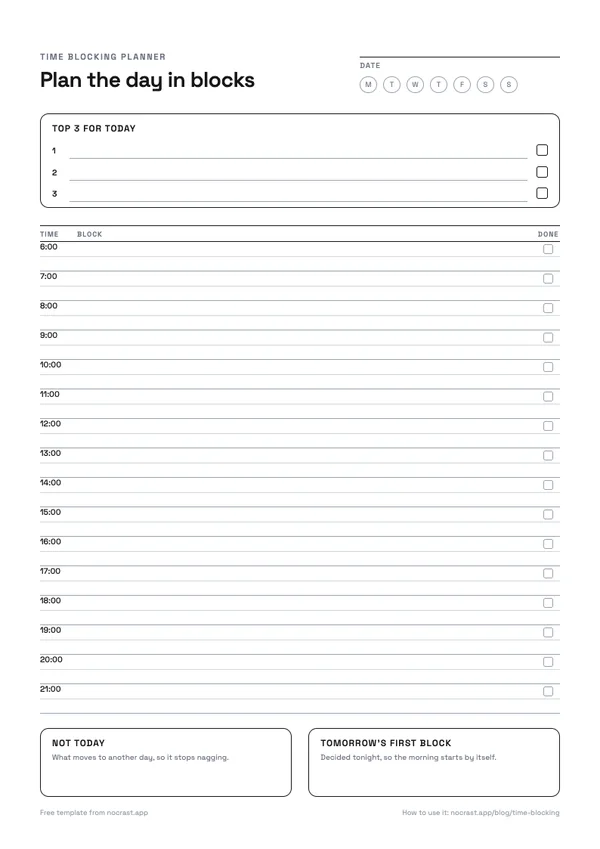
Download the template (PDF): A4 · US Letter
Prefer it digital? Copy this into Notes, a document or an email to yourself, and fill it in each morning:
TIME BLOCKING PLAN · Date: ________

Top 3 for today
1.
2.
3.

06:00
07:00
08:00
09:00
10:00
11:00
12:00
13:00
14:00
15:00
16:00
17:00
18:00
19:00
20:00
21:00

Not today:
Tomorrow's first block:
Timeboxing, batching and theme days
- Timeboxing is time blocking with a hard stop: when the block ends, you stop, finished or not. Useful for tasks that expand to fill any time you give them, like polishing slides.
- Task batching groups similar small tasks into one block, like all calls, or all errands, so you switch gears less often.
- Theme days give each day of the week a focus: Monday for planning and admin, Tuesday and Wednesday for deep work. Good when your work has very different kinds of tasks.
They combine well: theme days for the week, time blocks for each day, and a hard stop on the blocks that tend to run over. For short focused stretches inside a block, our free Pomodoro timer works in any browser.
Mistakes that break the plan
- Planning every minute. No buffer means the first surprise knocks over the whole day.
- Optimistic estimates. If everything takes a third longer than planned, so will your day. Add the third up front.
- Giving up after one bad day. The plan is a guide, not a contract. When the day goes off track, move the blocks, don't drop the method.
- Leaving the phone in reach. A perfect plan for 9:00 to 10:30 loses to a phone on the desk at 9:05.
Time blocking with your iPhone
Your Calendar app works well for time blocks: add each block as an event with an alert at the start, so you are told when to switch. To protect your deep-work blocks from the phone itself, two settings help. A Focus, according to Apple, silences notifications for the time you choose. And Screen Time's Screen Time Schedule can keep distracting apps closed during your work hours; How to Set Up Screen Time on iPhone walks through it.
From a list of tasks to a plan: NoCrast
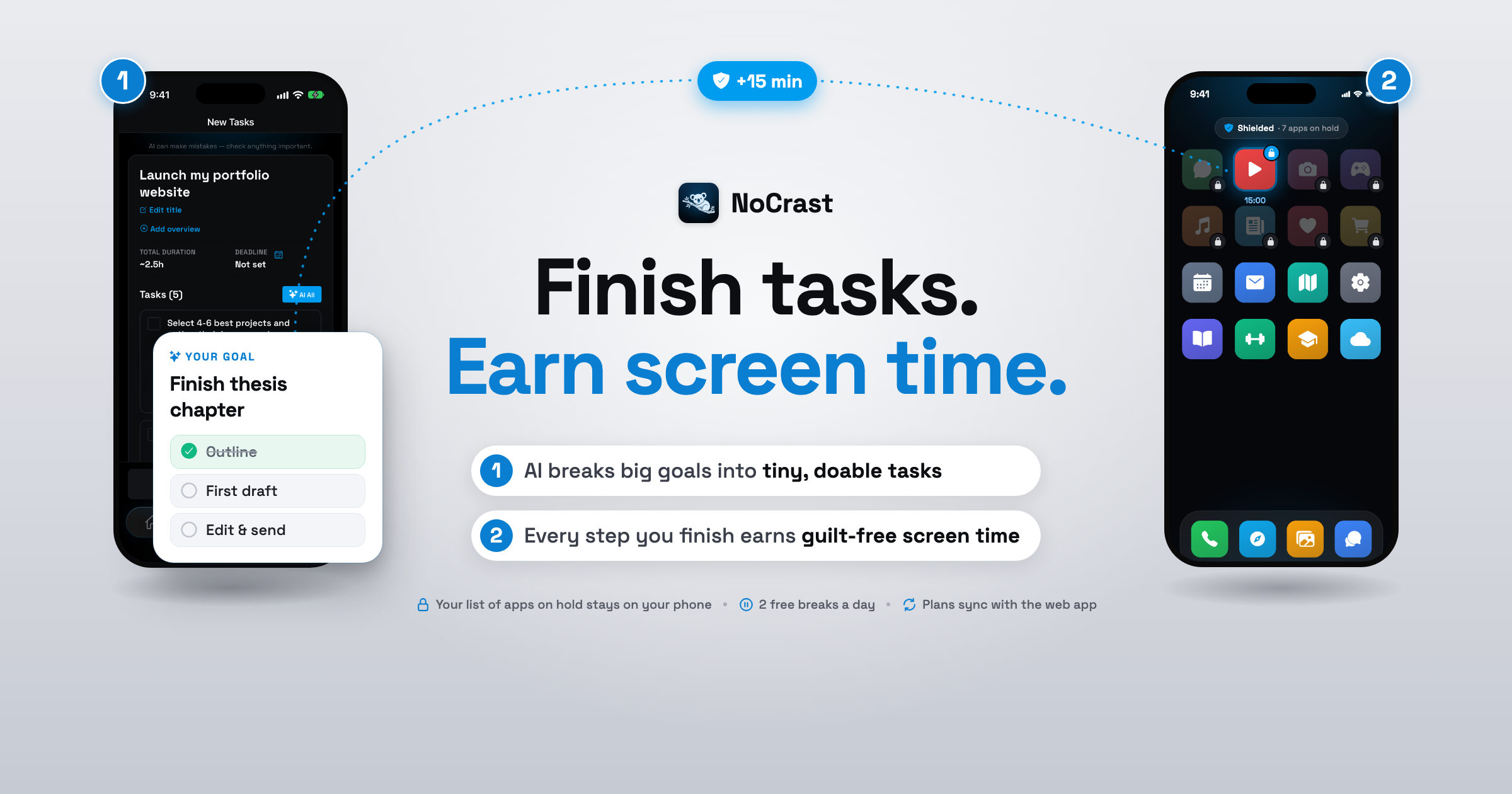
The hardest steps of time blocking are the first two: turning a big, vague goal into tasks, and knowing how long each will take. NoCrast does that part. Describe what you need to get done, and its AI breaks it into small tasks, each with its estimated time, effort and focus, so you know what fits into a block before you plan it.
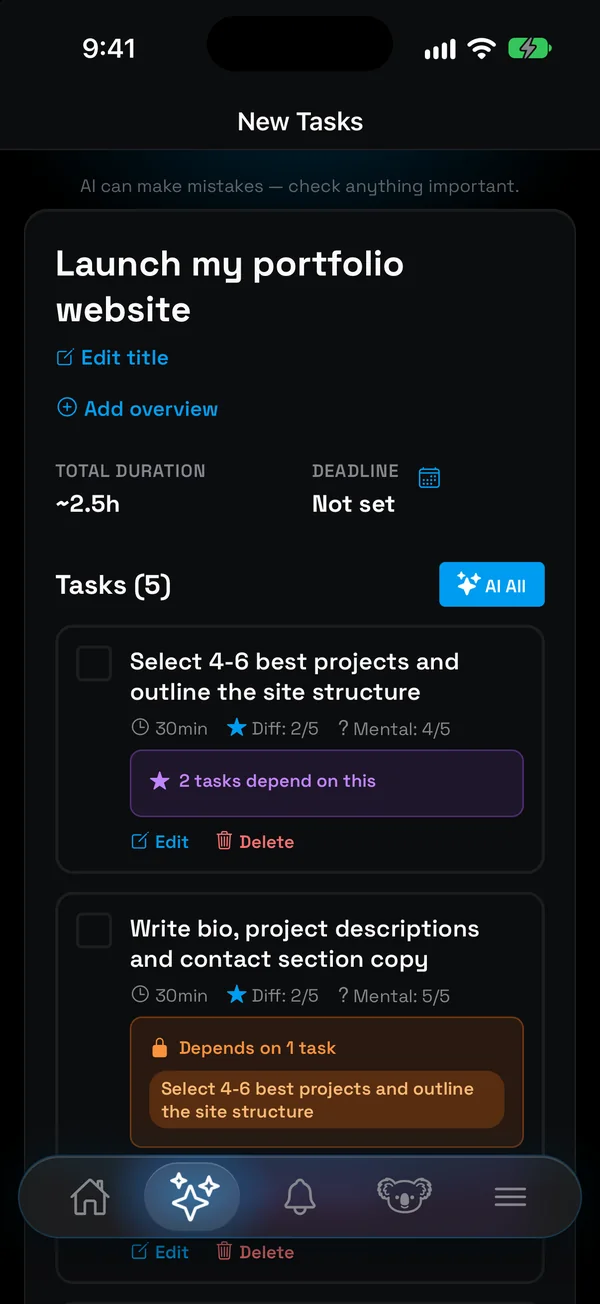
Each morning you choose today's tasks with a swipe, and rings for time, effort and focus fill up as you go, so you see when the day is full, the same thing a page of time blocks shows you on paper. While you work, the apps that pull you away stay on hold until your tasks are done, and finishing a task earns minutes to spend on them in your breaks.
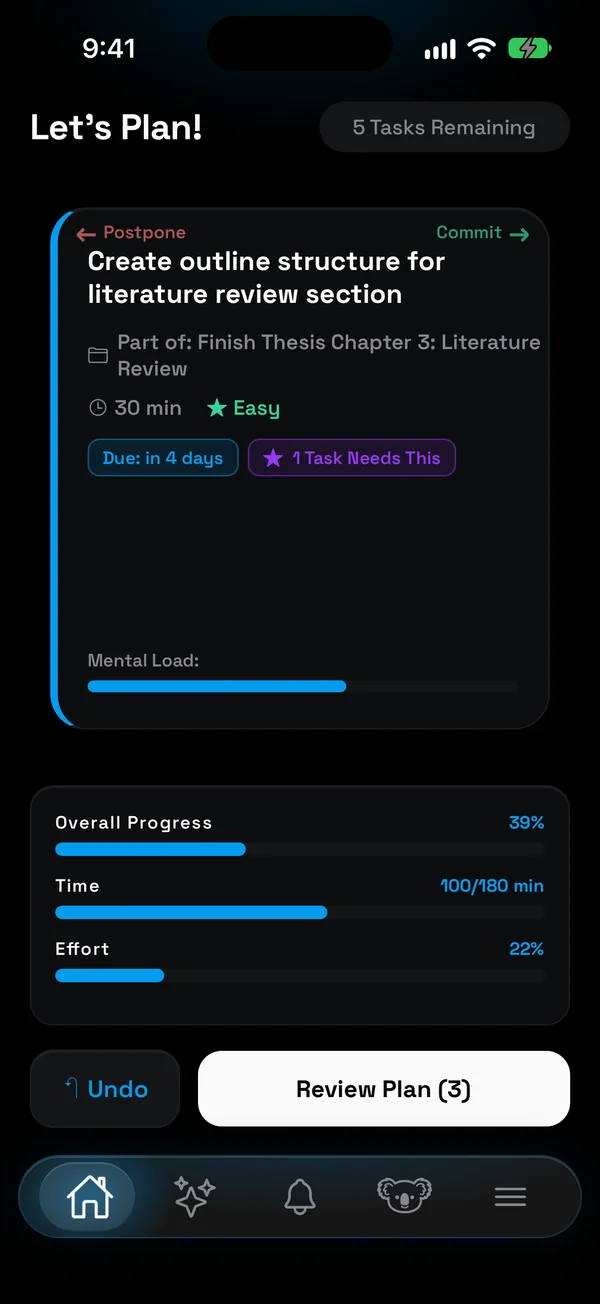
Use them together: NoCrast to find the tasks and their times, the template to place them in your day.
Get NoCrast on the App Store or Google Play.


Found this helpful? Share it with others!