Body Doubling: What It Is and How to Do It Alone
Updated 16 November 2026.
You sit down to do the thing you have been putting off, and nothing happens. Then a friend comes over to work on their own stuff at the same table, and somehow you get through the whole task. That is body doubling: doing a task while another person is there, not to help, just to be there. This guide explains what it is, why people find it useful, and, since there isn't always someone around, seven ways to get the same effect on your own.
In this guide
- What body doubling is
- Why it can make starting easier
- Body doubling with someone
- Seven ways to do it alone
- A simple session, start to finish
- The one thing that ruins it: your phone
- A next step and a phone that waits: NoCrast
What body doubling is
A body double is a person who is present while you work. They don't check your work, coach you or keep you company in conversation. They do their own thing: read, answer emails, fold laundry. You do yours. The point is only that someone is there.
The term spread through ADHD communities online, where many people describe it as a way to get started on tasks they find hard to begin. It is just as familiar to anyone who studies better in a library than at home, or gets more done in a café than alone at a desk. This guide is about the everyday practice and how to set it up; it isn't medical advice.
Why it can make starting easier
There is no magic to it, just a few ordinary things that change when someone else is in the room:
- A set start time. "We'll work from two to three" turns "sometime today" into now.
- A light sense of being seen. Nobody is watching closely, but drifting off to something else feels more noticeable when someone is next to you.
- A shared rhythm. When the other person is working, working is the normal thing to be doing.
- A clear end. The session ends when they leave or the time is up, which makes the task feel limited instead of endless.
Not everyone finds it useful, and some people focus better in a quiet room on their own. If you have never tried it, one session is enough to find out.
Body doubling with someone
The simplest version: ask a friend, partner or housemate to work at the same table for an hour. Agree on a start and an end, say in one sentence what each of you will work on, and then don't talk until the end.
A video call can do the same job: cameras on, microphones off, each on your own task. It is easy to set up with a friend who also has things to get done, and it works across cities. At the end, a minute to say what you got through closes the session.
Seven ways to do it alone
When there is nobody to ask, you can still get much of the effect: a set time, a little bit of being seen, and a clear end.
1. Go where other people are working
A library, a café, a coworking space, the study room at your university. Strangers working quietly around you are body doubles too. They don't know you are there, but you know they are.
2. Put on a "study with me" video
Long videos of someone studying or working at a desk, often with a timer on screen and short breaks built in, are a whole genre on video platforms. Pick one, put it next to your work, and work along until their break. Keep the video in its own window so the recommendations don't pull you away.
3. Tell someone your plan, report back after
Send a friend a message: "Doing the tax forms from 4 to 5." At five, send another: what you got done. They don't need to answer. Knowing you will report back is often enough to start.
4. Turn the camera on yourself
Set your phone or laptop to record a time-lapse of your desk while you work. You don't have to watch it or post it. Being on camera brings back a little of the feeling of someone being there, and the phone is busy recording instead of tempting you.
5. Say it out loud
Before you start, say what you will do and until when: "Until 3:30, I'm writing the introduction." It sounds odd, but it turns the plan into a small promise to yourself, the same one you would make to a body double.
6. Use a timer with a visible end
A timer you can see gives the session a clear shape, like a body double's visit. Our free Pomodoro timer runs in any browser: 25 minutes on, 5 off, with no sign-up.
7. Pair your task with a routine sound
The same playlist, the same café noise, the same rain sound, every time you sit down to work. After a few sessions it becomes a signal: this is the work hour. It isn't a person, but it gives the session the same clear start and end.
A simple session, start to finish
- Pick one task, and its first step. Not "work on the thesis", but "write the first paragraph of section 2".
- Set the length. 25 to 50 minutes is enough; an hour at most.
- Choose your double. A person, a place, a video or a timer from the list above.
- Put the phone out of the way. More on that below.
- Start at the agreed time, and stop at the agreed time. Stopping on time matters as much as starting: it makes the next session easier to begin.
- Say what you did. To the other person, to a friend by message, or in one line in a notebook.
The one thing that ruins it: your phone
Body doubling makes starting easier. It doesn't stop the phone from buzzing ten minutes in, and a single check can end the session. Put it in another room if you can. If you need it nearby, turn off notifications for everything that isn't a person, and keep the apps you drift to closed for the length of the session. Our guide How to Block Apps on iPhone shows the Screen Time settings for that.
A next step and a phone that waits: NoCrast
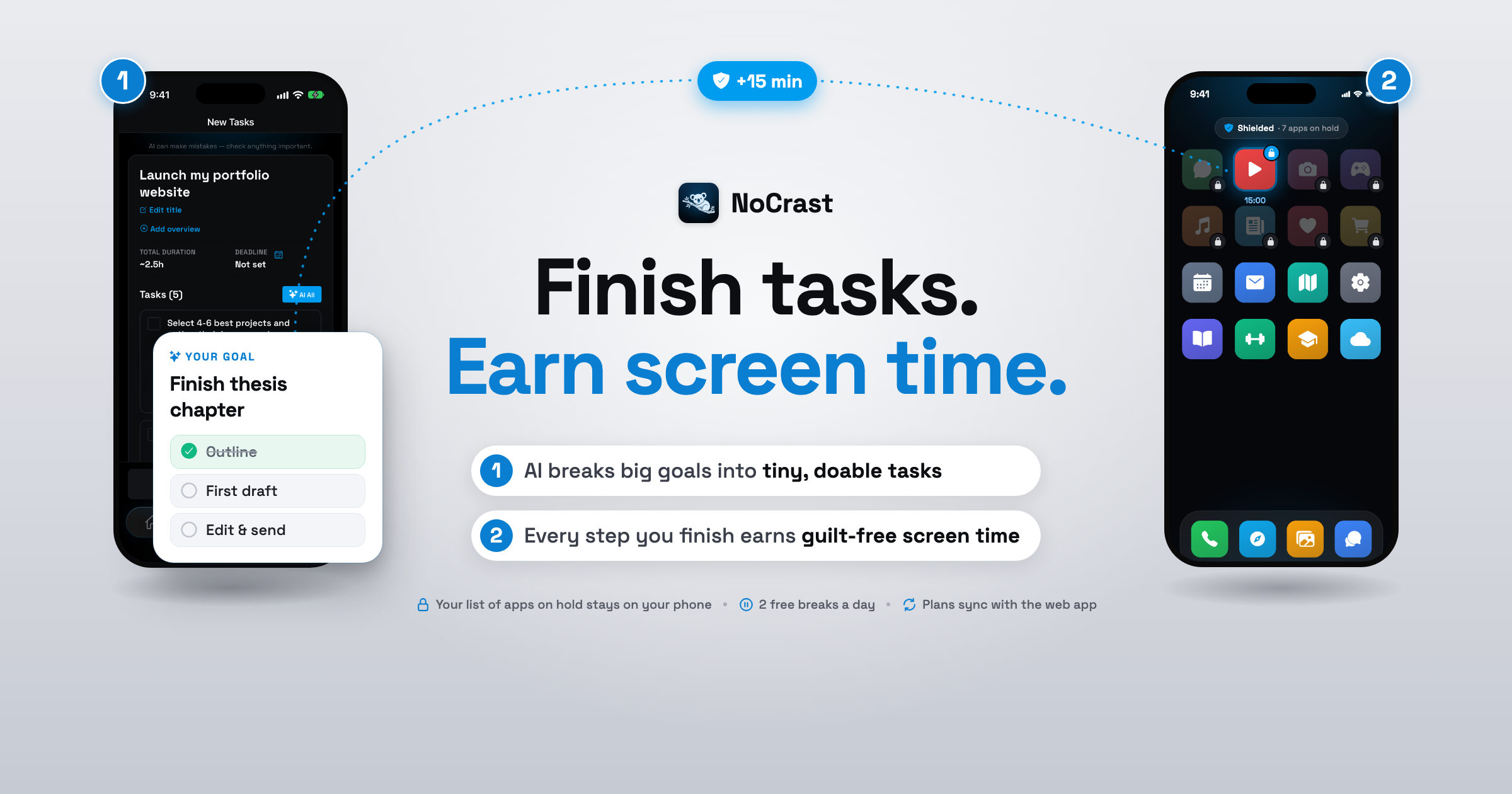
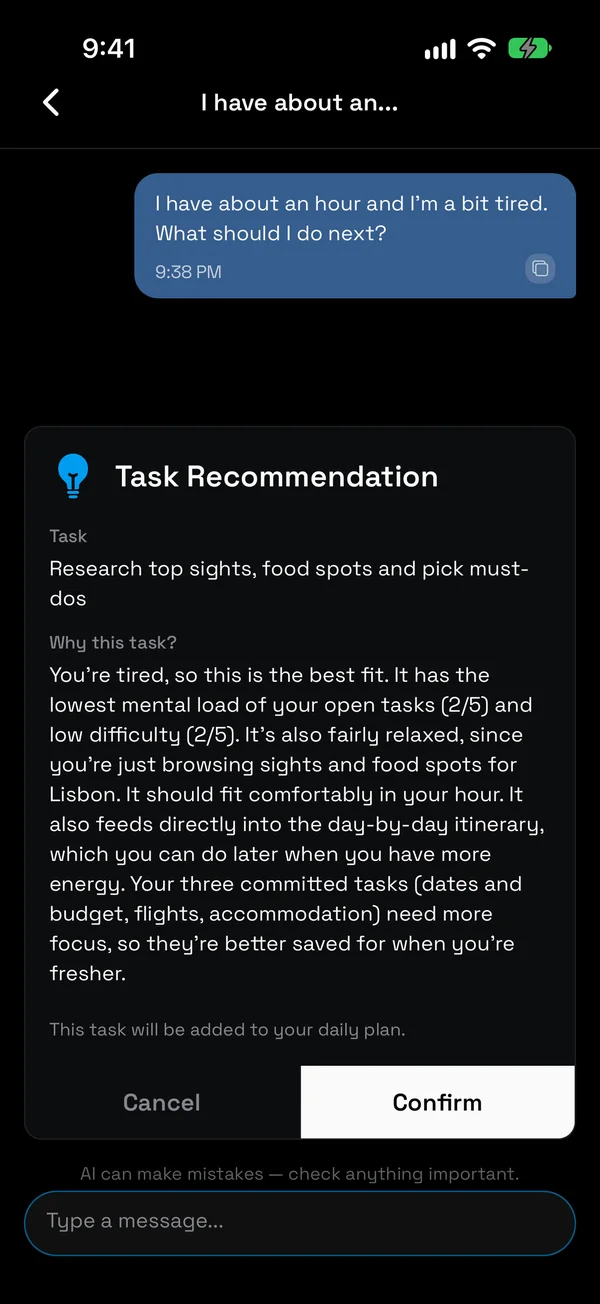
NoCrast isn't a body double, but it covers the two things a session needs most when you are alone. First, a first step: describe what you are putting off and NoCrast's AI breaks it into small tasks, so step 1 of the session above is already done. Not sure which one fits right now? Tell the AI buddy how much time and energy you have and it suggests one.
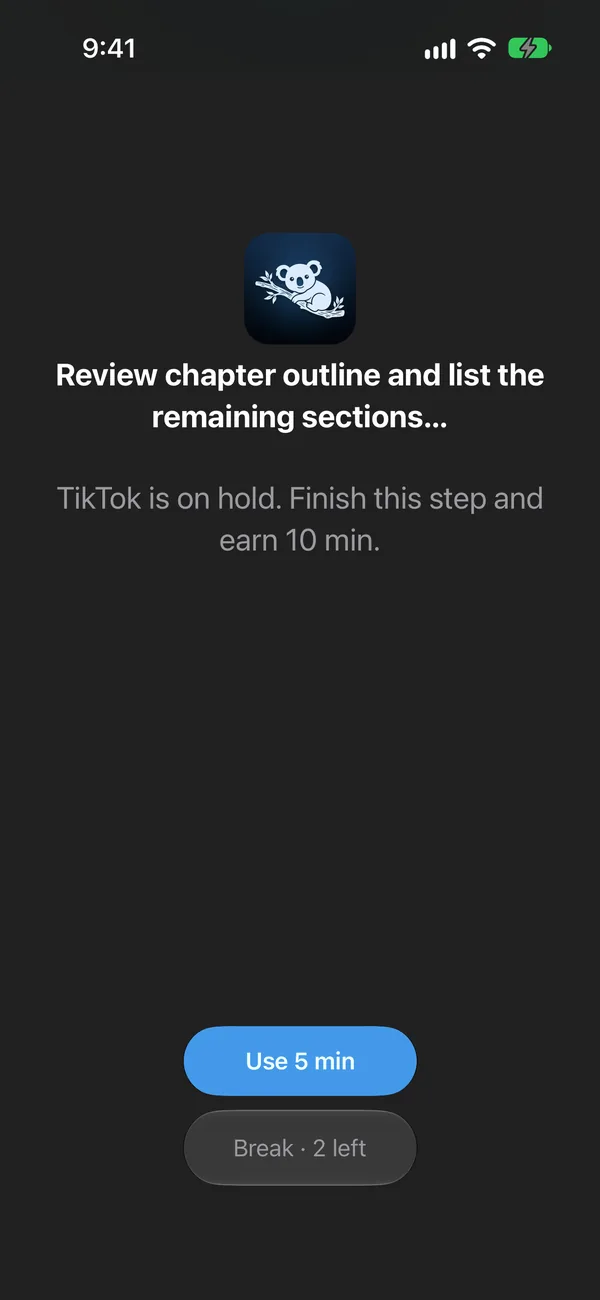
Second, a phone that waits. The apps you choose stay on hold until your tasks for the day are done. Reach for one mid-session and you see the step you are on instead of the feed. Finish it, and you earn minutes to spend on those apps in your break, with two free 10-minute breaks a day for anything urgent.
Pair it with a library, a study-with-me video or a friend on a call, and you have the whole session: someone there, one small step, and nothing on the phone to pull you away.
Get NoCrast on the App Store or Google Play.


Found this helpful? Share it with others!