Finish a task, earn screen time
NoCrast keeps your distracting apps on hold and pays you in minutes for the work you finish. Tick off a task, and the time is yours to spend on social media, games or video, in breaks of 5, 10, 15 or 30 minutes.
New subscribers get the first 7 days free, then NoCrast Premium monthly or yearly. Cancel any time.


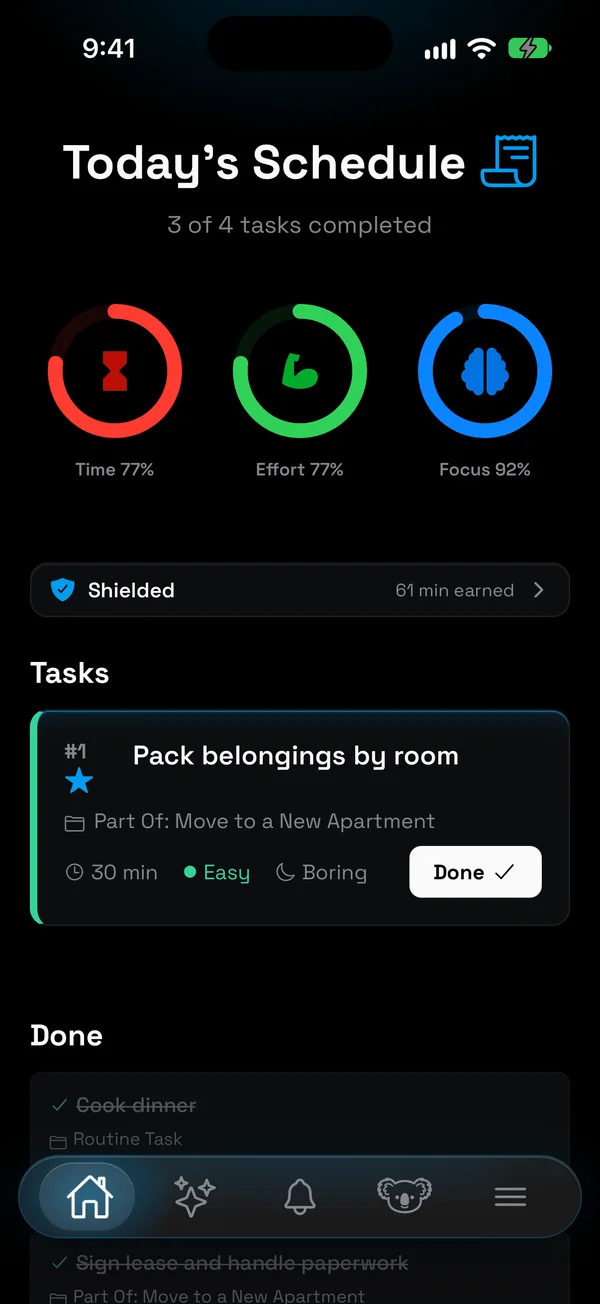
What does it mean to earn screen time?
Most screen time tools start from an allowance and count down: an hour of games a day, then the app closes. Earning screen time turns that around. The apps you choose start on hold, your balance starts at zero, and every task you finish adds minutes to it. You decide when to spend them.
The difference sounds small, but it changes the question you ask yourself. With a limit, it is "how much do I have left?", and the answer is usually "a little more, just this once". With earned time it is "what do I need to finish first?", and that question has an answer on your list.
It is the deal most of us already make with ourselves, "one more chapter, then a break". NoCrast just keeps the score, so the deal still holds at four in the afternoon when you are tired and the feed is calling.
How earning screen time works
Three steps, every day you choose.
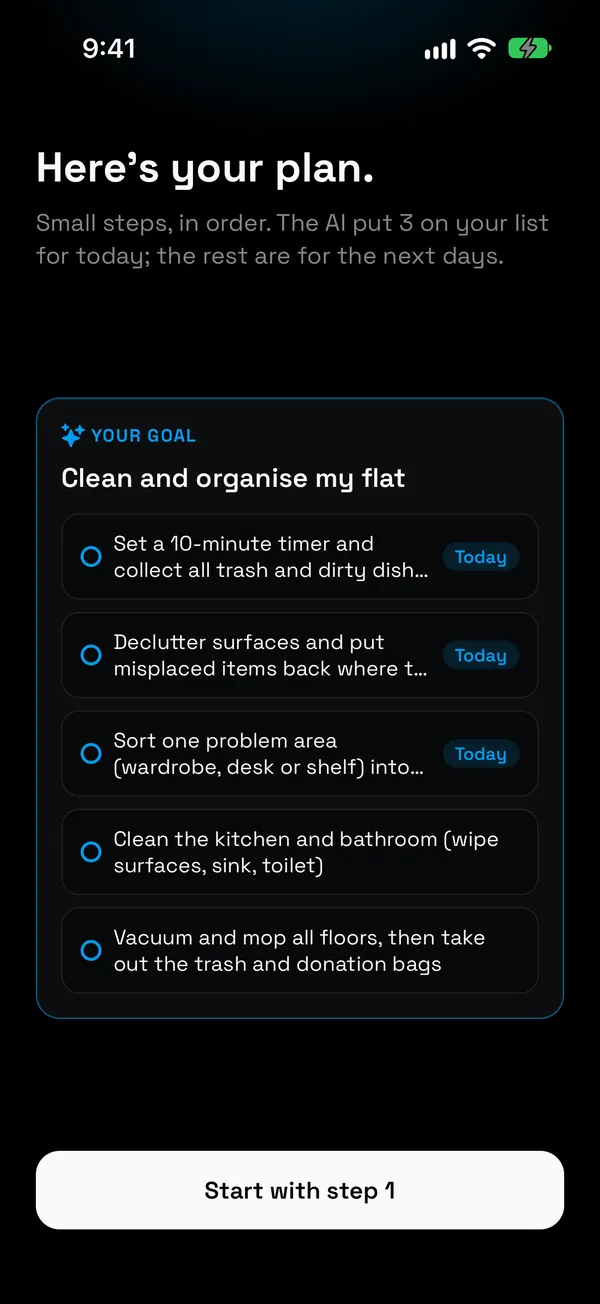
Plan tasks with a time
Describe what you need to do. NoCrast's AI splits it into small steps, and each one gets an estimated time.
Finish one, earn minutes
Tap Done and about a third of the task's time lands in your balance. Hard or boring tasks pay a little more.
Spend them when you want
Open your apps for 5, 10, 15 or 30 minutes. When the break ends, they go back on hold.
The rule: a third of the time you put in
Every task has an estimated time, and finishing it earns about a third of that as screen time. Forty-five minutes of ordinary work earns fifteen minutes.
A hard task earns 15% more, a boring one 15% more, and a task that is both earns 30% more, because those are the ones that get put off, and paying more for them is the point. That is also the cap, so a short task can never buy a long escape: at no setting does thirty minutes of work open up an hour.
A task without a time estimate earns nothing, so there is no way to farm minutes with empty tasks.
| You finish | Time | You earn |
|---|---|---|
| Reply to the important emails | 30 min | 10 min |
| Draft a section of a report | 45 min | 15 min |
| A hard task, like a tricky bug | 45 min | 17 min |
| A hard and boring one, like tax forms | 30 min | 13 min |
| A long revision session | 90 min | 30 min |
At the default rate, Balanced. Minutes are rounded down.
Choose how strict it is
Some people want the hold to bite, others need a gentler start. Pick one of three rates in the app's settings, and change it any time.
Strict
10 min
for every 45 minutes of work. For weeks when you want the phone out of the picture.
Balanced
15 min
for every 45 minutes of work. The default, and where most days feel fair.
Generous
20 min
for every 45 minutes of work. Still less than half of what you put in.
Even at Generous, with both bonuses, thirty minutes of work buys seventeen minutes of screen time. The rates are named, not numbers, on purpose: "20 minutes" is a decision, "0.44" is an invitation to haggle with yourself.
Spending the minutes you earned
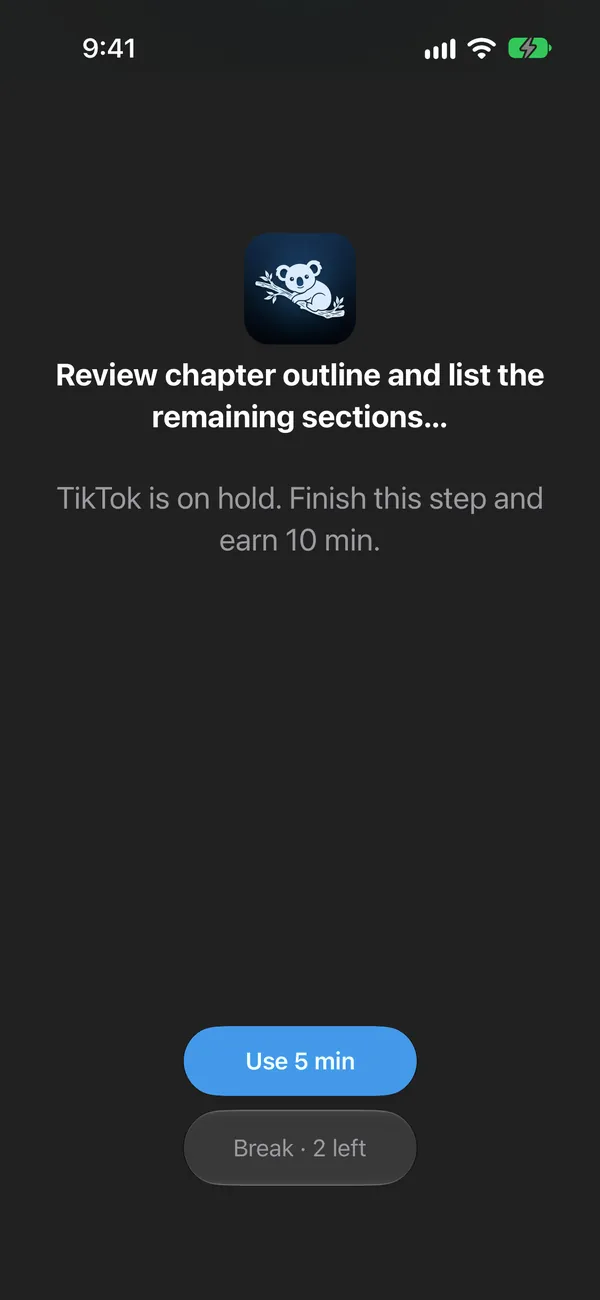
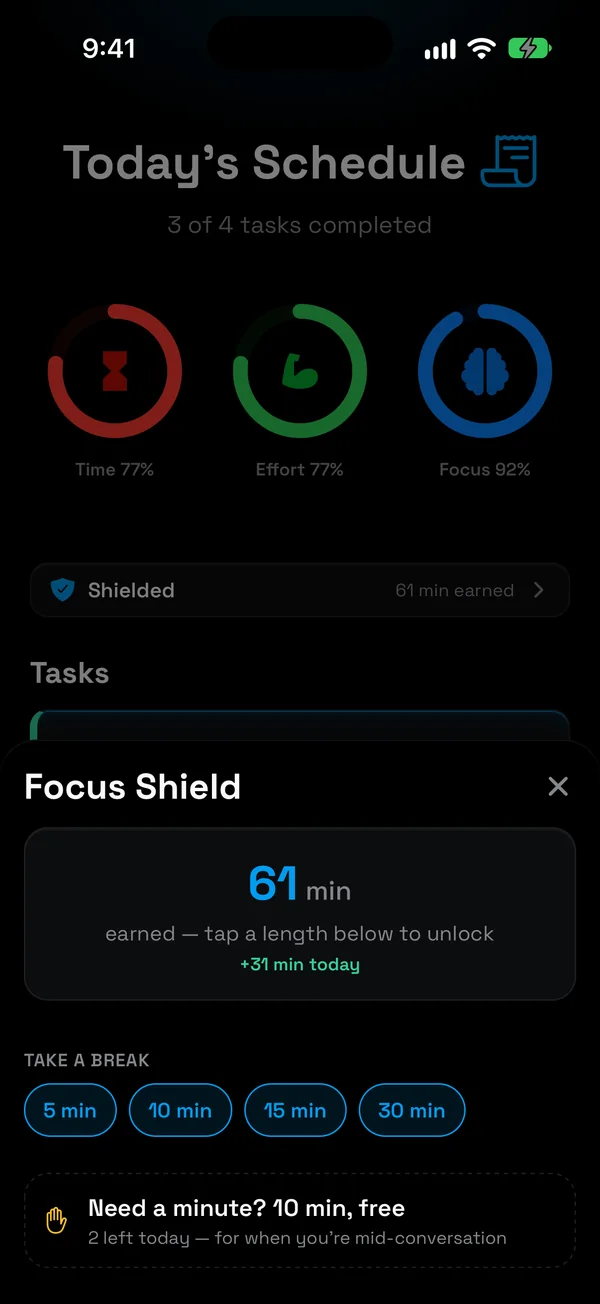
Open a held app and NoCrast shows your current step and how many minutes it is worth. When you want a break, take it from your balance: 5, 10, 15 or 30 minutes at a time. When the break is over, the app goes back on hold.
Minutes you don't spend stay in your balance for another day. You can't go below zero, though: no overdraft, no borrowing from tomorrow. And once everything you planned for today is ticked off, the hold lifts until tomorrow, no minutes needed.
Two free breaks a day
Sometimes you need an app right now: a message you have to answer, a ticket to show, directions to a place you are already late for. For that there are two free 10-minute breaks every day. They cost nothing and come back the next day.
They are few on purpose. Enough that the hold never traps you in the middle of a conversation, not so many that it stops meaning anything. A tool that leaves you stuck gets deleted the first time it is inconvenient; one with a small, honest way out gets kept.
Earned screen time or screen time limits?
Limits cap the time. Earning puts the work first.
| Compared | Limits | Earned time |
|---|---|---|
| Starts from | A daily allowance | Zero, and grows as you work |
| When you reach for an app | The limit, or "ignore" | Your next step and what it earns |
| What it rewards | Not opening the app | Finishing the work |
| Fifteen more minutes | One tap away | One finished task away |
Limits are good at one thing: capping the hours. If that is all you need, your iPhone's Screen Time settings do it for free, and How to Block Apps on iPhone walks through it.
Earning is good at something else: getting the important thing done before the easy thing. It doesn't care how many hours you spend on your phone in total. It cares that the report, the revision or the email you are dreading comes first.
Why earning beats banning
A total ban sounds strong. In practice it fails the first time you really need the app, and then the blocker is the first thing to go. Earned time doesn't ask you to give anything up: the feed is still there, it just comes after the work.
And minutes you earned feel different from minutes you took. A break after a finished task is a break you can enjoy without the guilt, which is more than most evenings of "just checking" can say.
A day of earning screen time
- 8:30 · Plan the day. Swipe through your tasks and commit to four, about three hours of work.
- 9:10 · Reach for a held app out of habit. Instead of the feed: "Outline section 2 · finish this step and earn 10 min".
- 9:45 · Outline done. 10 minutes earned. Spend 5 on a quick scroll, keep 5 for later.
- 13:30 · The hard one is finished. A tricky 45-minute task: 17 minutes.
- 15:00 · A friend needs an answer now. One free break, nothing spent.
- 17:00 · Last task ticked. The plan is done, and the apps are free for the evening.
Who earns their screen time with NoCrast
Students
Study first, scroll after. Revision sessions become minutes, and the phone stops being the thing that eats the evening before an exam.
People who work for themselves
No boss, no office, nobody to notice the lost hour. Earned time gives your day the structure a workplace used to.
A digital detox without going cold turkey
You don't have to delete anything. Keep your apps, and let the work decide how much of them you get.
On iPhone and Android
iPhone
Apps are held with Apple's Screen Time, chosen in Apple's own picker, and your minutes open them for the break you pick. Which apps you picked is known only to your phone.
Android
NoCrast's own hold screen appears when you open a held app, with the same balance, rates and free breaks. For that it asks for usage access and the right to appear over other apps.
Your tasks sync with nocrast.app, so you can plan on a laptop and earn on your phone.
Questions
How do I earn screen time?
Finish tasks in NoCrast. Each finished task adds about a third of its estimated time to your balance, and you spend the balance on the apps you put on hold.
How many minutes does a task earn?
At the default rate, 45 minutes of work earns 15 minutes. A hard task earns 15% more, a boring one 15% more, and a task that is both earns 30% more. A task without a time estimate earns nothing.
Can I change the rate?
Yes. Strict earns 10 minutes per 45 minutes of work, Balanced 15 and Generous 20. Even at Generous, 30 minutes of work never buys an hour.
Do earned minutes expire?
No. Minutes you don't spend stay in your balance. You can't go below zero, so there is no borrowing from tomorrow.
How long is a break?
You choose: 5, 10, 15 or 30 minutes at a time, as long as your balance covers it. After the break, the apps go back on hold.
What if I need an app and have no minutes?
Use one of your two free 10-minute breaks. They come back every day.
Does the gym count?
Yes. Add things you do regularly as routines: they appear in your plan on the days you set, and ticking them off earns minutes like any other task.
Is NoCrast a parental control app?
No. It is for your own phone: you choose which apps to hold, which days, and how strict the rate is.
Does it work on Android?
Yes. You earn and spend minutes the same way on both; only the way apps are held differs, Apple's Screen Time on iPhone and NoCrast's own hold screen on Android. Your balance and tasks sync, the web included.
How much does it cost?
New subscribers get the first 7 days free. After that, NoCrast Premium is monthly or yearly; the app shows the price for your country before you buy.
Your apps, on hold. Your minutes, earned.