Your to-do list isn't the problem.
Your phone is.
NoCrast keeps your distracting apps locked until you've done the work. Finish a task, earn minutes to spend on them. And when a goal feels too big to start, AI breaks it into tiny, doable steps.
Free for 7 days.
Why do we lose focus?
Procrastination isn’t laziness—it’s a reaction to overwhelm. When your to-do list grows, your mind starts to avoid the hardest tasks, and you end up stuck in a loop of small distractions.
How NoCrast helps you start—and finish
Big goal?
Tiny steps.
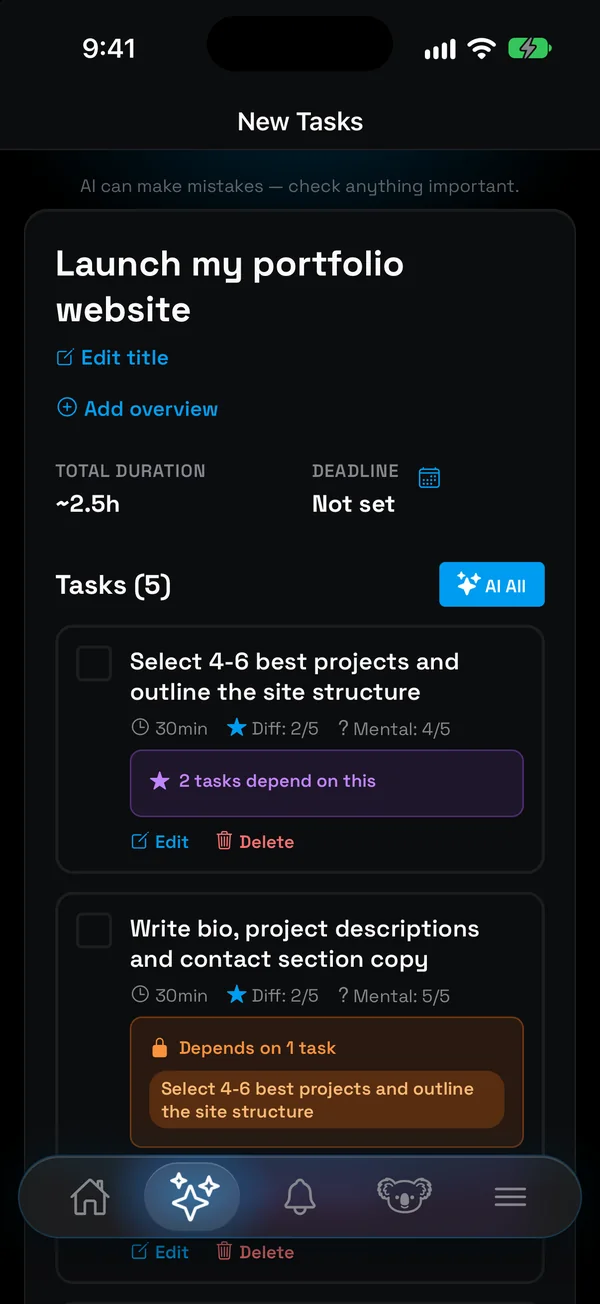
Describe it once. NoCrast turns it into small, doable tasks, each with its time, effort and focus.
Earn your
screen time.
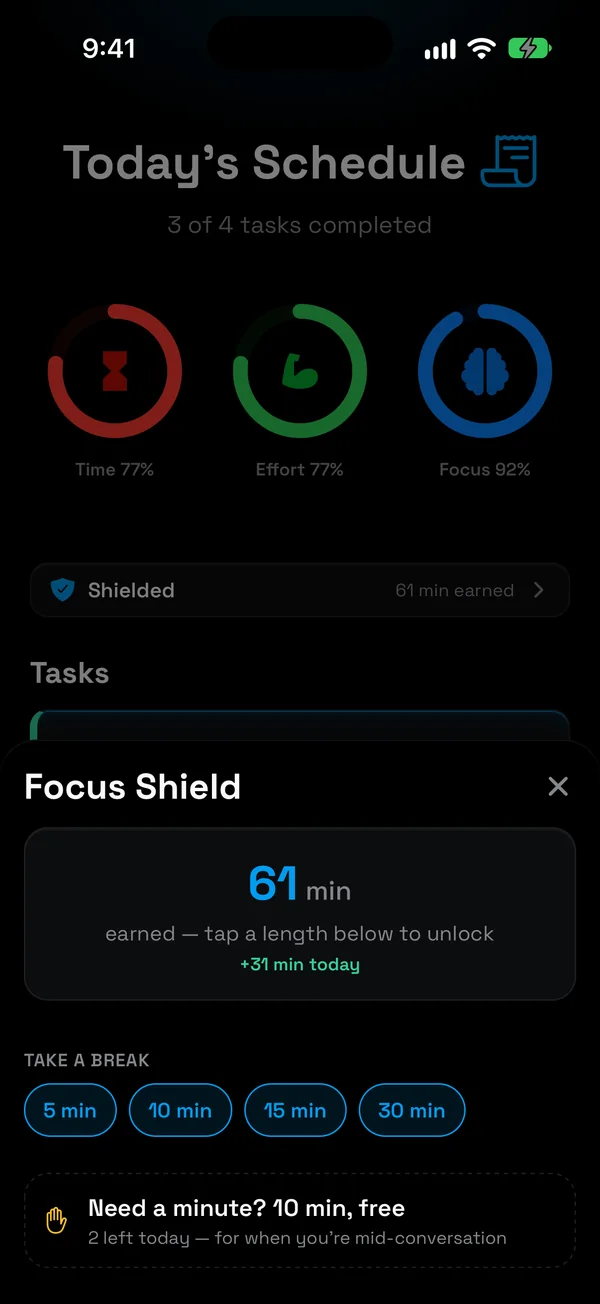
Distracting apps stay locked on the days you choose. Finish a task, earn minutes to spend on them. Finish your plan, and the rest of the day is yours.
Swipe to
plan your day.
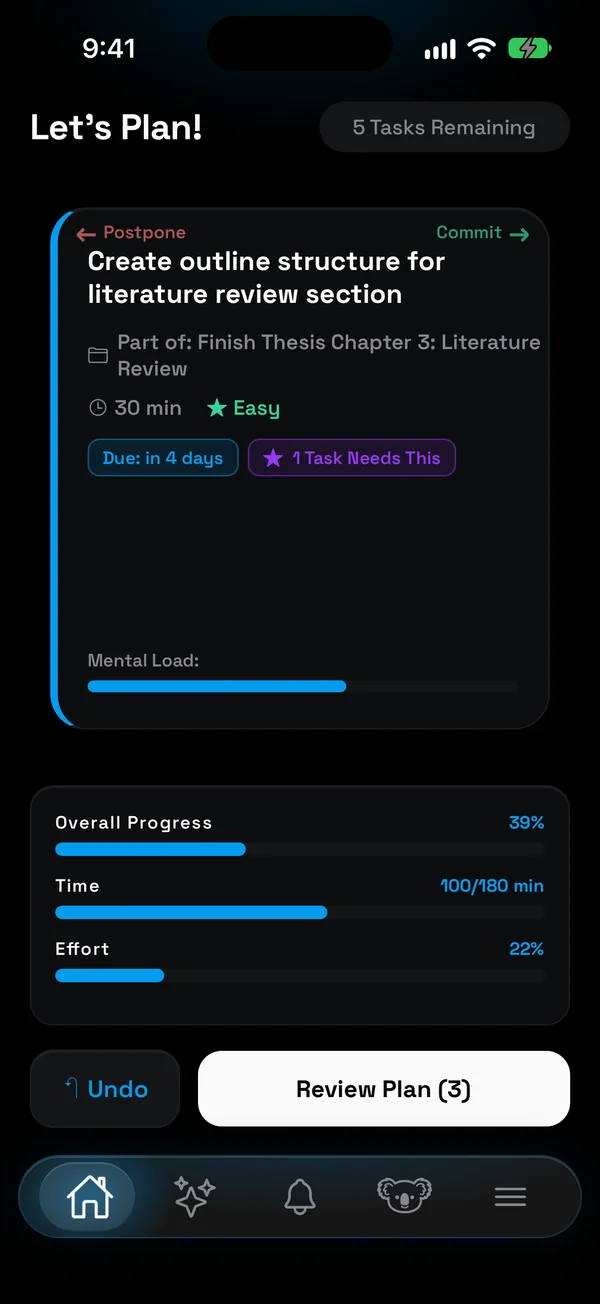
Right to commit, left to postpone. Time and effort bars tell you when the day is full.
Your day
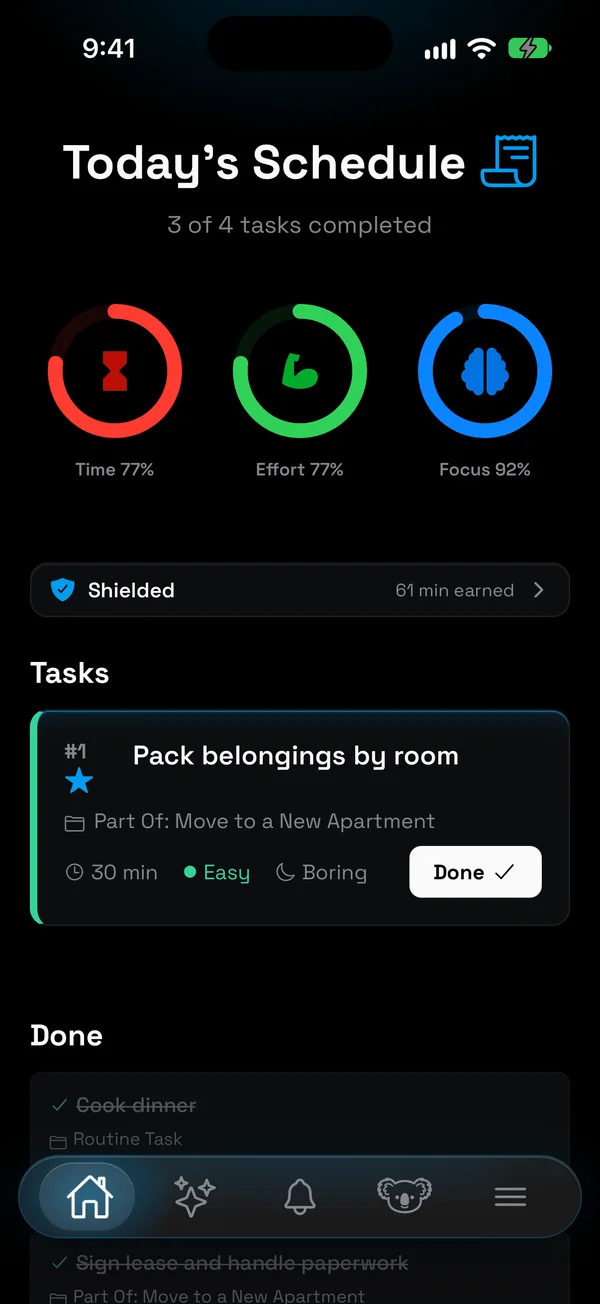
at a glance.
Time, effort and focus in one view, so you never overcommit. Whatever you don't finish comes back tomorrow.
Routines,
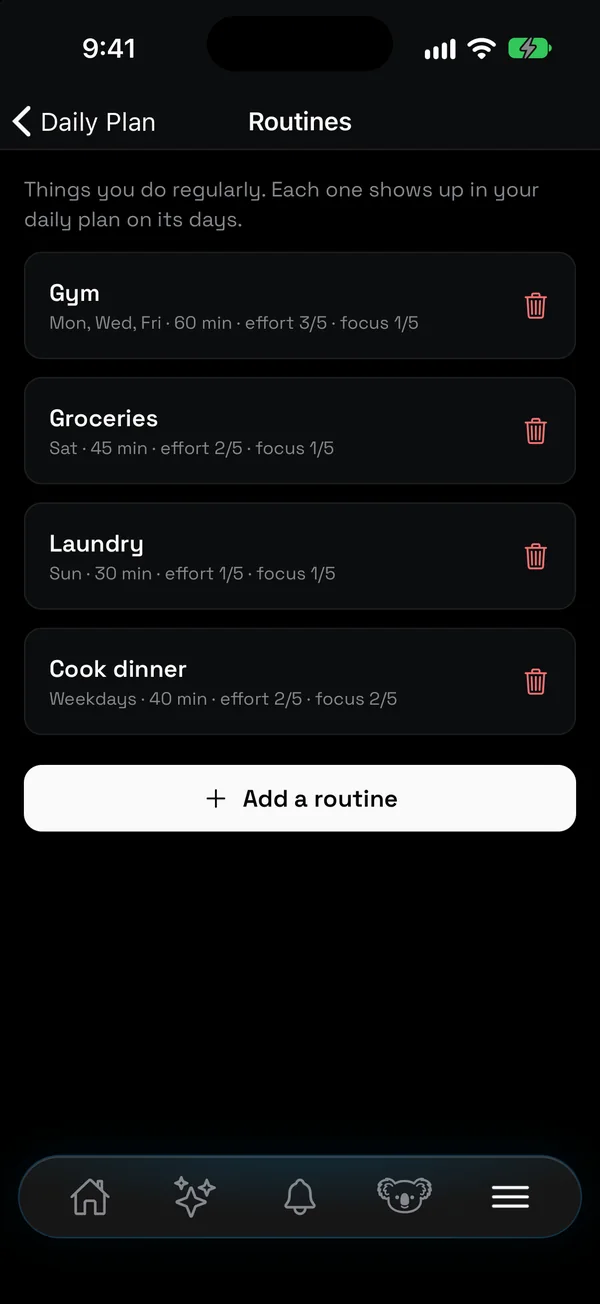
on autopilot.
Gym, groceries, laundry: set the days once and they show up in your plan.
Stuck?
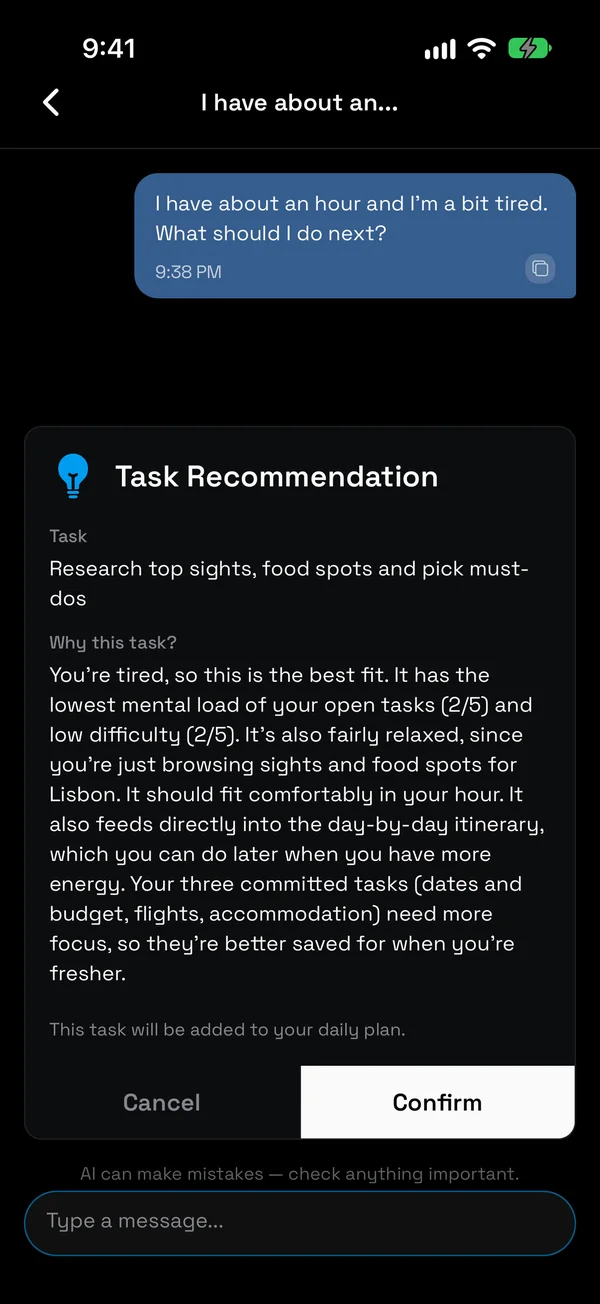
Just ask.
Tired, short on time, not sure where to start? Your AI buddy picks the one task that fits right now.
One Account, Every Device
Sign in once and your goals, routines, and progress sync across iPhone, iPad and the web. Start on your phone, continue on the web—pick up right where you left off.
iOS App
iPhone & iPad, with Focus Shield to keep distracting apps locked
Web App
Full-featured productivity suite in your browser
Android App
Native Android experience with full functionality
Coming Later
Try everything free for 7 days
7 days free, then one plan, monthly or yearly. Cancel anytime.
FAQ
Is NoCrast free?
Every new account gets every feature free for 7 days. After that, NoCrast Premium is a monthly or yearly subscription.
What is Focus Shield?
On iPhone, NoCrast can hold the apps that pull you away (social media, games, whatever you choose) on the days you pick. Finishing a task earns minutes to spend on them, and two short free breaks a day are there for when you really need one. It uses Apple's Screen Time, so it works on iPhone and iPad only.
What happens if I hit my AI limit?
You'll be able to see your consumption, next reset date, and upgrade options.
Can I cancel anytime?
Absolutely. You keep premium benefits until the end of your billing cycle.
Is my data private?
Yes — your tasks, notes, reminders, and chats with your AI buddy are encrypted and never read by anyone.